On this page
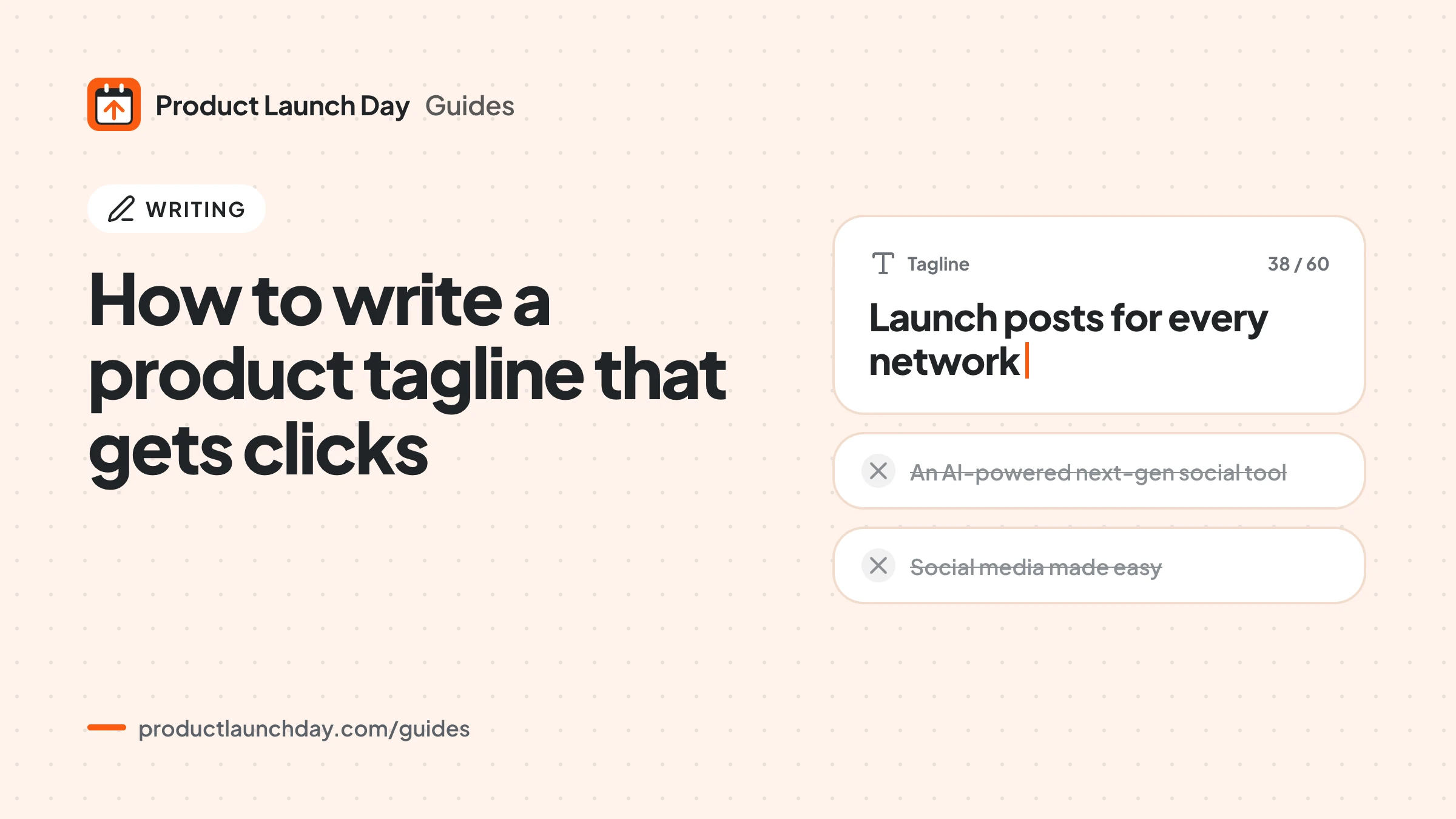
A product tagline gets clicks when it tells a stranger, in one short line, who the product is for and what it does for them. Lead with the result, use the words your users use, name something concrete, and keep it under about 60 characters so it is not cut off on a launch board or in search results. Clever wordplay comes last, if at all. Below is a simple method, 18 patterns you can adapt, and a way to test the result. If you want a pile of drafts to start from, try the free tagline generator.
What a tagline has to do on a launch board
On a daily board your tagline sits next to your logo and name, among many other products. A visitor scans the list in a few seconds. Your line has one job: make the right person stop and think "that is for me". It does not have to describe every feature, and it should not try.
That means the tagline is not a slogan. A slogan can be vague because the brand is already known. A new product is not known, so the line has to carry the meaning on its own.
A simple method in four steps
- Name the user. Write down who gets the most value. "Freelance designers" is better than "creatives". "Small online shops" is better than "businesses".
- Name the result. What changes for them? Time saved, money collected, errors avoided, a task that disappears. Write it as an outcome, not a feature.
- Name the thing. Is it an app, an API, a browser extension, a template? Saying so removes a guess.
- Cut. Remove every word that does not change the meaning: "simply", "powerful", "all in one", "next generation", "seamless".
Write ten versions, not one. The first few are usually the generic ones everybody writes. The useful line tends to appear around version six or seven, once the obvious phrasing is out of your system.
18 tagline patterns you can adapt
These are patterns, not real companies. Swap in your own user, task and result.
Patterns that lead with the result
- [Result] without [pain]: "Clean invoices without the spreadsheet."
- [Result] in [time]: "A working landing page in ten minutes."
- Stop [pain], start [result]: "Stop chasing receipts, start closing the month."
- [Task], done for you: "Weekly client reports, done for you."
- Never [bad thing] again: "Never miss a renewal date again."
Patterns that lead with the user
- [Thing] for [user]: "A simple CRM for solo consultants."
- The [thing] [user] actually use: "The time tracker freelancers actually open."
- Built for [user] who [situation]: "Built for teachers who grade on the train."
- [User], meet your [role]: "Shop owners, meet your new stock clerk."
- Your [role], in your [place]: "Your bookkeeper, in your browser."
Patterns that compare or contrast
- [Familiar tool] for [new area]: "A kanban board for your reading list."
- [Big task] the [small] way: "Customer research the five minute way."
- Like [familiar thing], but [difference]: "Like a password manager, but for API keys."
- [Old way] is over: "Copying data between tabs is over."
Patterns that are plain descriptions
- [Verb] your [object] from [source]: "Turn your support emails into a help center."
- One [thing] for every [scattered things]: "One inbox for every client chat."
- [Verb] [object] with [method]: "Schedule social posts with a spreadsheet."
- [Object] that [does task] by itself: "A status page that updates itself."
Plain description patterns are underrated. If your product is easy to explain, a clear sentence that says exactly what it does often beats a clever one.
Common mistakes
- Jargon nobody searches for. "AI native workflow orchestration" means little to most readers. Say what it does.
- Only the category. "The project management tool" tells me the shelf, not why yours.
- Stacked adjectives. "Fast, simple, beautiful" could describe anything.
- A question nobody asked. "Tired of work?" is too broad to land.
- Too long. Long lines get cut off on boards, in search results and in link previews.
- Repeating the name. The name is already shown next to the tagline. Use the space for meaning.
How to test a tagline before launch
You do not need a big audience to test a line. Try these:
- The stranger test. Show the line to someone outside your field and ask them to say back what the product does. If they cannot, rewrite.
- The swap test. Replace your product name with a competitor's. If the line still fits, it is too generic.
- The preview test. Put it in your page title and description and check how it looks with the meta tag checker and the OG preview tool.
- The words test. Read reviews, support emails and forum threads in your space. If users describe the problem in different words than you, use theirs.
Where the tagline goes next
Once you have a line, use it everywhere: your home page headline, your listing on the submit page, your link preview, and the first line of your launch posts. Consistency helps people recognise you as they see you in different places over the day. Our guides on writing a launch post and the launch day playbook show where it fits. If you are still choosing a name, the startup name generator can help with that too.
Questions people ask
How long should a product tagline be?
Aim for under about 60 characters, roughly six to ten words. That fits on a launch board, in most search results and in social previews without being cut off. Shorter is fine if the meaning is still clear.
Is a tagline the same as a slogan?
Not quite. A slogan can be abstract because people already know the brand. A tagline for a new product has to explain what it is and who it is for, because nobody knows it yet.
Should my tagline mention AI?
Only if it helps the reader understand the result. "Drafts replies from your help docs" says more than "AI powered support". Lead with what the user gets, and mention the method only when it is the reason to choose you.
Can I change my tagline after launch?
Yes, and you should if you learn a better way to say it. Launch day comments are a great source: notice how people describe your product to each other and borrow their words.